How to take your first order
Updated 2026-10-03
When someone books you, take the order in 3 steps. Every picture is the real app (demo details).
1. A new order pops up
The app shows the new order, and you also get a push and a bell. Check the time and what you earn; the line under it (≈ RM · US$) is roughly what it withdraws as.
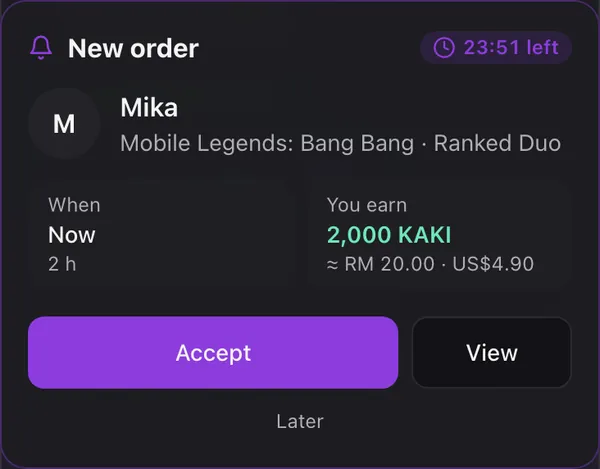
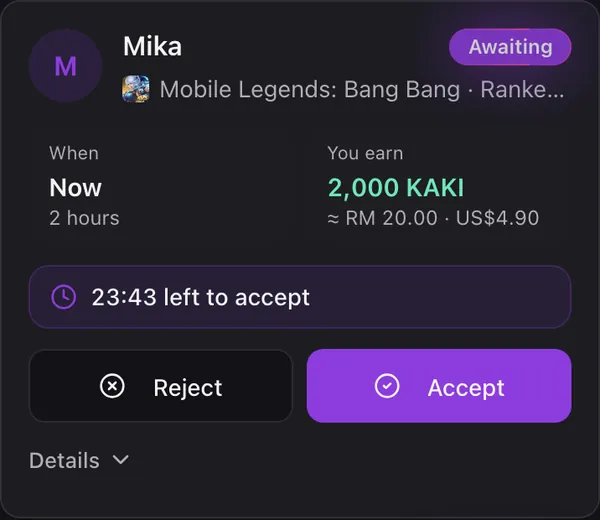
2. Tap Accept within 30 minutes
Every order must be accepted within 30 minutes of being placed, bookings too. If not, it is cancelled and the buyer is refunded in full. You can also accept from My Orders.
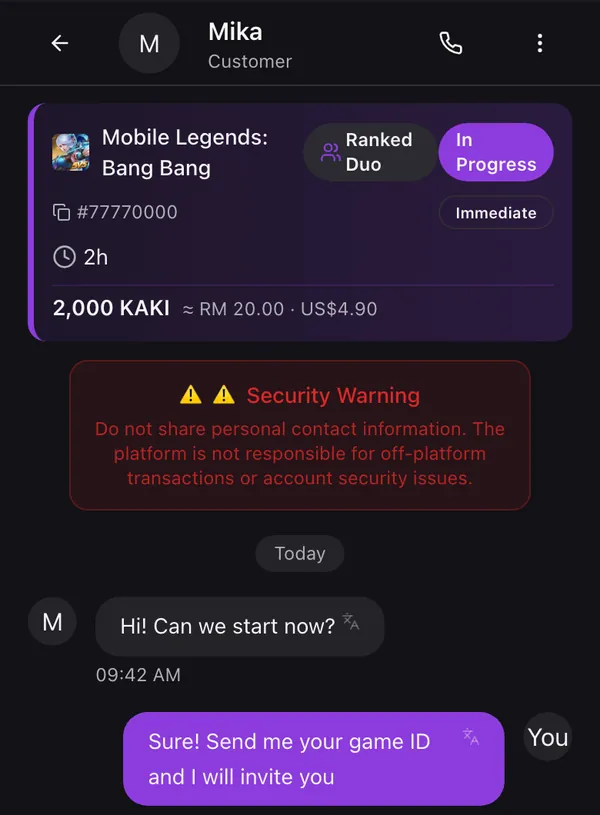
3. Chat and start playing
Accepting opens the chat with the buyer. Agree on the details and start. When you are done, you both confirm and the earnings go to your wallet.
To never miss an order, turn on push notifications for the app. If you cannot take an order, tap Reject: the buyer is refunded straight away.